Tables that fit your floor
Build a spatial table layout, switch to a list, and merge or split tables without losing the open order.
FOR RESTAURANTS, CAFÉS & TAVERNAS
Take the order. Keep the team in sync. Send the right ticket to the right printer. EasyOrders connects your floor and kitchen through the cloud, from the first table to the last.
Android app · iPhone & desktop web app
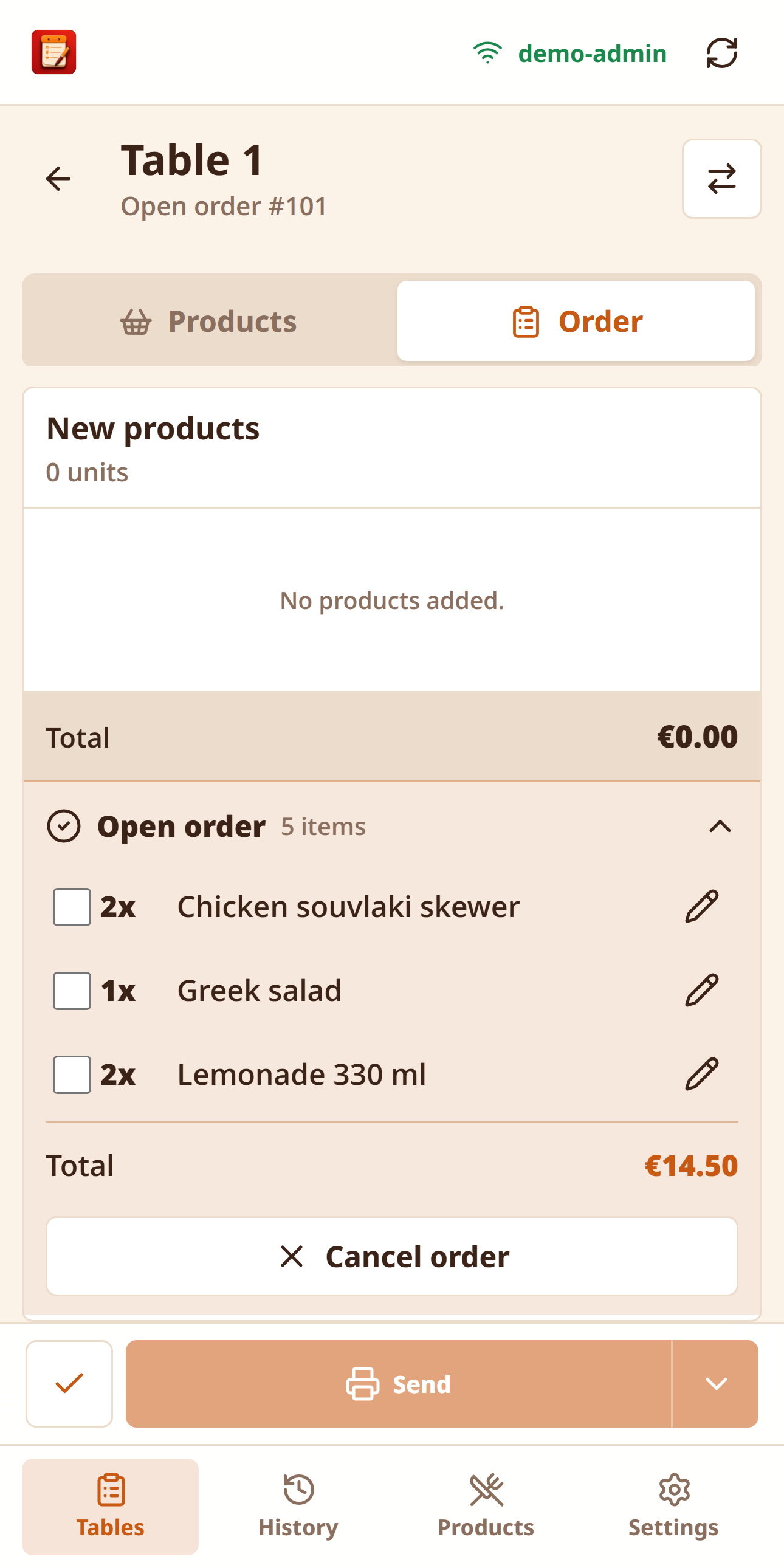
ONE TABLE. ONE SHARED ORDER.
Explore the same screens used in the EasyOrders web app. Sample actions stay inside this browser.
Arrange tables and follow open orders.
Real PWA interface · fictional restaurant dataBUILT AROUND A REAL SHIFT
One practical system for taking orders, organising tables and keeping service moving.
Build a spatial table layout, switch to a list, and merge or split tables without losing the open order.
Products, photos, quantities, variations, extras, “without” options and notes. Send additions, corrections or cancellations as service changes.
Configure 58 mm or 80 mm tickets with Greek text, printer names, optional prices and category routing to the kitchen or bar.
Live synchronisation shares orders, served state and setup. Give each employee the permissions they need.
Reprint previous orders and see a sales report for the current history period, including products, categories and extras.
Admin and employee accounts, optional two-factor authentication and personal display preferences for a comfortable working screen.
FROM PHONE TO DESKTOP
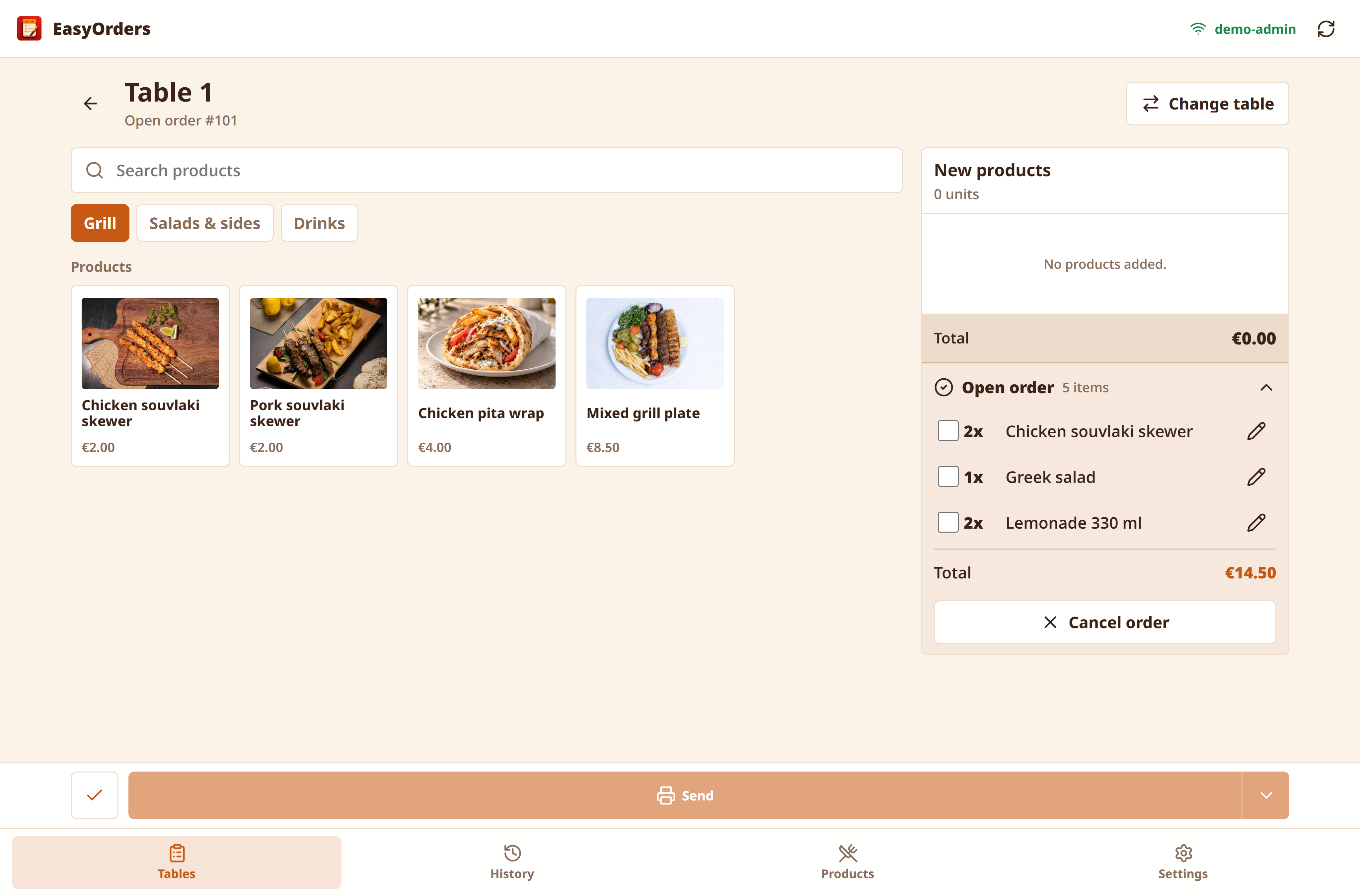
The real web app adapts to your screen. Appearance settings let you choose your layout and theme.
A GUIDED START
We agree the location, devices, compatible printers and the setup package that fits your business.
Configure categories, dishes, extras, tables and employee accounts. Choose technical setup or a complete setup with data entry.
Set ticket layouts and kitchen/bar routing, and test the printing connection installed for your restaurant.
Test orders, additions, cancellations, reprints and table closure. Complete setup includes 90 minutes of staff training.
Native app on Android 6.0 and later. Installation and updates are supplied through your EasyOrders setup.
Installable web app from the browser. No native iOS app is required.
The web app gives admins and staff access from a supported modern browser.
The app offers Greek and English language options.
Printing is configured for your restaurant. We check your printer model, network connection and any required equipment before installation.
YOUR RESTAURANT WORKSPACE
Already set up with EasyOrders? Open your workspace or install the Android app. Use the account supplied for your restaurant.
Sign in from iPhone, iPad or a supported desktop browser. You can add the web app to your Home Screen from your browser.
Open EasyOrdersDownload the Android app from EasyOrders. Requires Android 6.0 or later and an existing restaurant account.
Download for AndroidThe download button always requests the server’s current published APK. Release details below were checked on 21 October 2026.
dc6c4f5827b53073a0ae91497f5a023ebd45146e6a7a205dfe183431e571eeebThese links open the real service. To explore with fictional data, use the interactive demo. Explore the demo
STRAIGHTFORWARD PLANS
Employee accounts are included without a per-employee subscription charge. Installation and printer hardware are separate.
Pay month by month.
A limited starting offer for the first three restaurant customers. Availability is confirmed in your quote.
per location · Monthly
Founding rate guaranteed for the first contract year. Renewal pricing is agreed before renewal.
The complete everyday EasyOrders workflow for your restaurant, café or taverna.
per location · Monthly
Monthly or annual billing. Final commercial terms are set out in your written quote.
For businesses that need dedicated infrastructure or a more complex installation.
per location
Infrastructure, scope and support are agreed individually.
Hardware, internet, on-site visits, later menu entry, retraining, router repairs and custom development are quoted separately.
VAT treatment, offer availability and the final total payable are confirmed in a written quote before you commit.
One-time installation, separate from the subscription and hardware.
We install and configure the system. You enter your menu and business data.
Menu entry, table setup, employee accounts, printer configuration and training. €300 for eligible founding customers.
For larger menus, unusual networks or a more involved installation. Scope agreed in a quote.
Complete setup covers one location, up to 150 products, 40 tables, 10 initial employee accounts, five Android devices, two printers and 90 minutes of training. These are setup allowances, not ongoing product limits. If your printers need a router box, we supply it at cost and set it up on site as part of the installation. Unusual networks fall under Complex setup, and a box added later is quoted as a separate visit.
YOUR STARTING POINT
Explore a simple estimate before arranging your installation.
Indicative estimate. Hardware and applicable VAT are separate; availability and final scope require a written quote.
LET’S TALK ABOUT YOUR RESTAURANT
Tell us a little about your business and what you need. We’ll help you work out the right EasyOrders setup.
BEFORE THE FIRST ORDER
EasyOrders is an internal restaurant ordering and kitchen-ticket system. It does not issue fiscal receipts, process customer payments or replace a certified cash register, POS payment terminal or myDATA invoicing system.
Yes. Add EasyOrders to your iPhone's Home Screen to take and send orders. For printed kitchen tickets, your restaurant needs a compatible printer and a configured print connection. We confirm the right setup before installation.
Unsent drafts are saved locally and the apps reconcile with the server when connectivity returns. The web app cannot print during an internet outage. Orders taken in the Android app can print directly over the restaurant's Wi-Fi when a direct-delivery fallback is configured and the printers are reachable; this is not available with the Server only setting. Shared cloud updates resume after reconnection.
EasyOrders supports configured network ticket printers and 58 mm or 80 mm paper layouts. Your exact model and network are checked before installation; hardware is purchased separately.
The standard and founding subscription includes employee accounts without a per-employee fee. Each account has one active device session; create a separate account for each staff member. Unusually large fleets are scoped in your quote.
The first 30 days of the software subscription are free. Setup work and hardware are not free. The written quote confirms when the trial starts, what is installed and when the paid subscription begins.
Yes. Admins can change products, categories, photos, extras, table layouts, employees and printer settings. Additional menu entry or retraining provided by EasyOrders is quoted separately.
There is no online checkout or automatic card billing on this website. Activation, payment, renewal, cancellation, refund and data-return terms must be agreed separately before you subscribe.
READY FOR YOUR NEXT SHIFT?
Start with your restaurant, your menu and the way your team works.
Explore the real appEASYORDERS DEMO
Try both roles with sample orders, a menu and employees. Changes stay in this browser.